info@autonexit.com

Working Hours: 9:00 AM to 5:00 PM

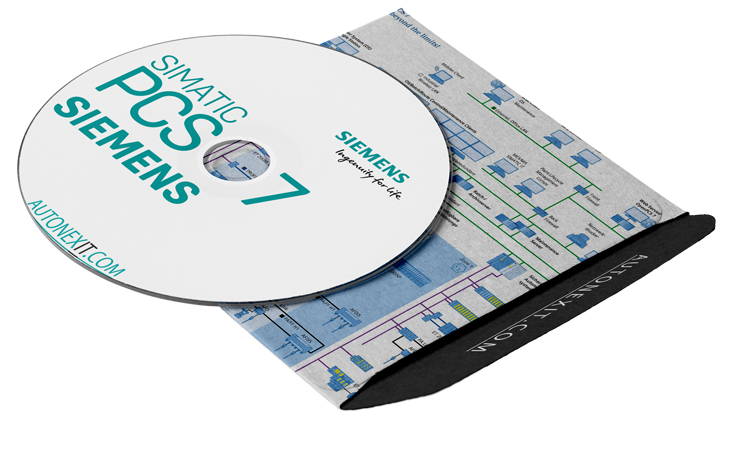
Download Siemens SIMATIC PCS7 V10 Free + Installation Guide

Download Siemens SIMATIC PCS7 V10 Free + Installation Guide

You’ve probably heard of Siemens’ DCS system — a highly successful, globally recognized control platform. This system is engineered, configured, and commissioned using Siemens PCS7 software. The primary purpose of this comprehensive software suite is to design and implement Distributed Control Systems (DCS) for achieving more optimized and reliable control of industrial processes.

PCS 7 enables you to quickly respond to changing automation requirements, maintain a high level of system stability, and ensure security through its integrated architecture — ultimately reducing both operational and ownership costs.

Distributed Control Systems (DCS) are used for controlling large-scale industrial processes such as power generation plants, oil and gas refineries, water and wastewater treatment facilities, and various chemical, food, and automotive industries.

DCS systems are typically designed as a multi-layered control structure, spanning from supervisory and management levels down to the lower levels for controlling local process details. Product and process control are usually automated by utilizing feedback or feedforward loops at specific points. Special programmable controllers are used to achieve the desired tolerance for the product or process.

In such systems, computers are used for monitoring and reprogramming the system, while the processing task is handled by controllers. As a result, if one of the controllers fails, the entire system control is not lost.

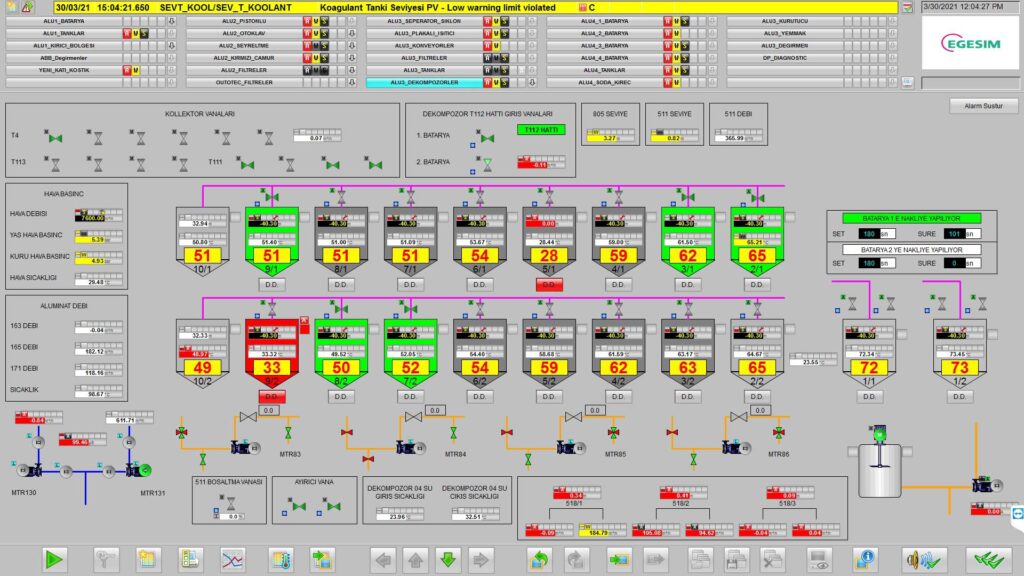
PCS7 Monitoring Environment

Features of SIMATIC PCS 7

  • Comprehensive software for the design and implementation of Distributed Control Systems (DCS)
  • Control of industrial processes such as power plants, treatment plants, and refineries
  • Provides a multi-layered control structure with different levels of access
  • Automatic implementation of feedback and feedforward loops at desired points
  • System monitoring and reprogramming
  • Maintains system stability at high levels
  • Ensures product quality with adjustments to market demand
  • Reduces management and ownership costs
  • Optimizes industrial process management
  • Provides the necessary foundation for integrated control system management
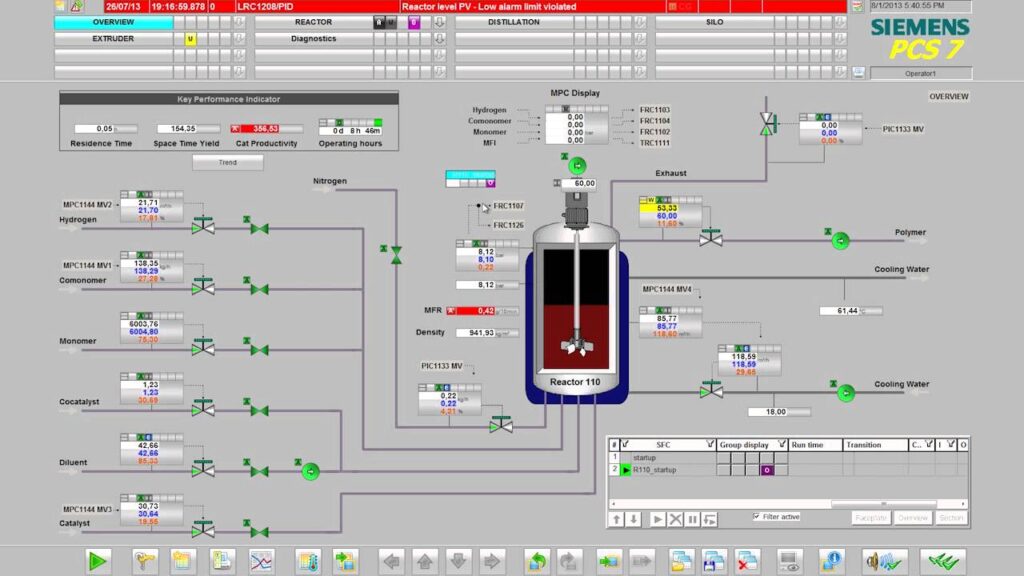
PCS7 Monitoring Environment

Additional Features of PCS 7

Scalability and Flexibility:
PCS 7 offers high scalability, allowing for the system to be expanded as needed. This flexibility ensures that it can grow with the increasing demands of a plant or process, from smaller installations to large-scale complex systems.

Integration with Other Systems:
The system is capable of seamless integration with other Siemens automation systems, such as PLCs (S7-1200, S7-1500), SCADA systems (WinCC), and drive systems (SINAMICS), enhancing its overall functionality and providing a unified solution for automation.

Advanced Diagnostics and Predictive Maintenance:
PCS 7 offers advanced diagnostic tools that allow for predictive maintenance, enabling operators to detect potential issues before they cause system failures, thus minimizing downtime and improving system reliability.

High Availability and Redundancy:
The system is designed with high availability in mind, incorporating redundant components for critical parts of the system. This ensures that the system remains operational even in the event of hardware failures.

User-Friendly Interface and Visualization:
PCS 7 provides intuitive user interfaces and visualization tools, allowing operators to easily monitor and control complex processes. The HMI (Human-Machine Interface) integrates seamlessly with the system, providing clear, real-time data.

Compliance with Industry Standards:
Siemens SIMATIC PCS 7 complies with major industry standards, such as IEC 61508 for functional safety, and meets the requirements for various certifications in industries like oil and gas, chemicals, and energy.

Global Support and Documentation:
Siemens offers extensive global support for PCS 7, along with comprehensive documentation and training materials. This ensures that users have access to the resources they need for smooth system implementation, operation, and troubleshooting.

S7-400 Series PLC: One of the main elements of the PCS7 package

Hardware Compatible with Siemens SIMATIC PCS 7

Siemens SIMATIC PCS 7 works seamlessly with a variety of hardware components to optimize process control and ensure system reliability. These include the SIMATIC S7-400 and S7-1500 PLCs, which are designed for high-performance industrial control, offering scalable and reliable processing power. The ET 200SP I/O modules provide flexible and modular expansion for distributed control systems. SINAMICS Drives are integrated for motor control, enabling precise management of electric motors in complex industrial processes. SIMATIC HMI devices, such as KTP and TP panels, allow operators to easily monitor and control processes. The SCALANCE Switches and Industrial Network Devices enable reliable communication across the system’s network, supporting Profinet and Profibus protocols. The SIMATIC PCS 7 Process Automation System itself includes all necessary hardware components, such as input/output cards and processing controllers, for complete distributed control. The SINAMICS G120 drives offer modular motor control solutions, while the SIMATIC ET 200M system provides a modular solution for distributed control. Additionally, SIMATIC C7-Universal Controllers are ideal for small and medium-sized industrial applications, integrating smoothly with PCS 7 for a robust and efficient control solution.

Download PCS7 v10

The password: autonexit.com

❓ Having Trouble with Installation?

If you cannot install or activate the software and need a professional paid remote setup, our team can complete the installation and activation for you through a secure one-time session. This is a premium technical service (not free) designed for users who want a fast, reliable, and guaranteed solution without wasting time.
To request this service, please fill out the form below. We will review your request and contact you by email with the service details, availability, and payment instructions.

4.3/5 (4 Reviews)
Liam Siahtiri

Liam Siahtiri

I’m passionate about PLCs and industrial automation, with a focus on complex programming, communication protocols, and SCADA systems. My goal is to develop practical, project-based training to fill the gap in industry education and give back to the field that shaped my growth. I hold a Master’s degree in Electrical Power Engineering.

Subscribe
Notify of
guest
13 Comments
Oldest
Newest Most Voted
Inline Feedbacks
View all comments
Hassan
Hassan
7 months ago

Thanks

yassin
yassin
6 months ago
Reply to  Hassan

working?

yassin
yassin
7 months ago

can you upload video for how to install it

Sataru Gojo
Sataru Gojo
1 month ago
Reply to  yassin

You Open WinRar, Select The file, select keep broken files option in Miscellaneous options. Make sure everything under Virus and threat protection is off. Good luck

Sony
Sony
6 months ago

Hello
The file (PCS7_V10_AUTONEXIT_COM.iso) is corrupt, downloaded it 3 times, tried winrar and power iso, same result. Please re-upload them separately or split the main file into 5 parts.

Fake
Fake
6 months ago

not working extracion failure

Dennis
Dennis
5 months ago

Everytime I try and unpack it it says that it’s corrupt, anything I can do?

Harish
Harish
5 months ago

can you please give File Extract Password

Juan Jimenez
Juan Jimenez
4 months ago

Esta corrupto el archivo, da error al descomprimirlo

rory2k
rory2k
4 months ago

I am sorry, but extraction of the files has failed. On the end of extraction I was asked for entering password once again and the 2nd password entering ended with message “wrong password”. What is wrong with it?

rory2k
rory2k
4 months ago

I just want to say – the other files from archive has been extracted correctly, only ISO file is not extracted. Maybe the ISO file is too large.

kundan
kundan
4 months ago

not able to extract please guide me

Recently comments
  • Raja : Good day EhsanThanks for uploading. May i have the password to the uploaded rar file. Regards Raja
  • Liam Siahtiri : Hi, It's: autonexit.com
  • MEETKUMAR Sandipbhai PATEL : Good day Ehsan . Thanks for uploading. I don't know why I am not able to install and extract a folder can you guide me plz?